

Building a modern corporate structure requires more than just high-speed internet. For Australian business owners, operations managers, and HR heads, success hinges on how seamlessly your people connect across borders, time zones, and structural frameworks.
As distributed workforces become the baseline for Australian enterprises, team collaboration tools have evolved from basic operational utilities into the core digital infrastructure of the modern business.
However, technology is only half the battle. To scale efficiently, reduce local overhead, and maintain peak output, savvy Australian organizations are pairing enterprise-grade software with compliant offshore staffing models. As an industry leader in global talent solutions, FastLaneRecruit has analyzed the top collaboration platforms dominating the Australian market in 2026, offering an expert blueprint on how to align your digital stack with elite offshore professionals.
Key Summary
Collaboration tools are core digital infrastructure
Platforms like Slack, Microsoft Teams, and Google Workspace now function as essential operational systems rather than optional software, enabling real-time and asynchronous coordination across distributed teams.
Distributed and offshore work is now standard
Australian companies increasingly operate across time zones and borders, making collaboration tools critical for maintaining alignment between onshore and offshore teams through structured communication and workflow visibility.
Modern workflows rely on integrated tool stacks
Most organizations combine communication tools with execution platforms like Asana or ClickUp and documentation systems such as Notion to ensure end-to-end clarity from planning to delivery.
Tool choice depends on work structure
Different teams require different systems, with creative, engineering, and operations teams each prioritizing specialized tools aligned to their workflows rather than a single universal platform.
Efficiency depends on reducing fragmentation
Overuse of multiple disconnected tools creates app fatigue and context switching, which reduces productivity and weakens visibility across teams.
Tools alone do not solve scaling challenges
While collaboration software improves coordination, scaling also depends on addressing structural issues like talent availability, cost efficiency, and compliance constraints.
EOR models strengthen distributed operations
Employer of Record solutions such as FastLaneRecruit help companies legally hire offshore talent, which, when combined with collaboration tools, enables fully integrated cross-border teams.
Integrated tech and talent is the 2026 model
The most effective organizations combine collaboration platforms, clear asynchronous workflows, and offshore hiring strategies to build scalable, always-on operating systems.
What Are Team Collaboration Tools?
Team collaboration tools are digital platforms that help teams communicate, coordinate, and execute work efficiently across locations and time zones.
They typically support:
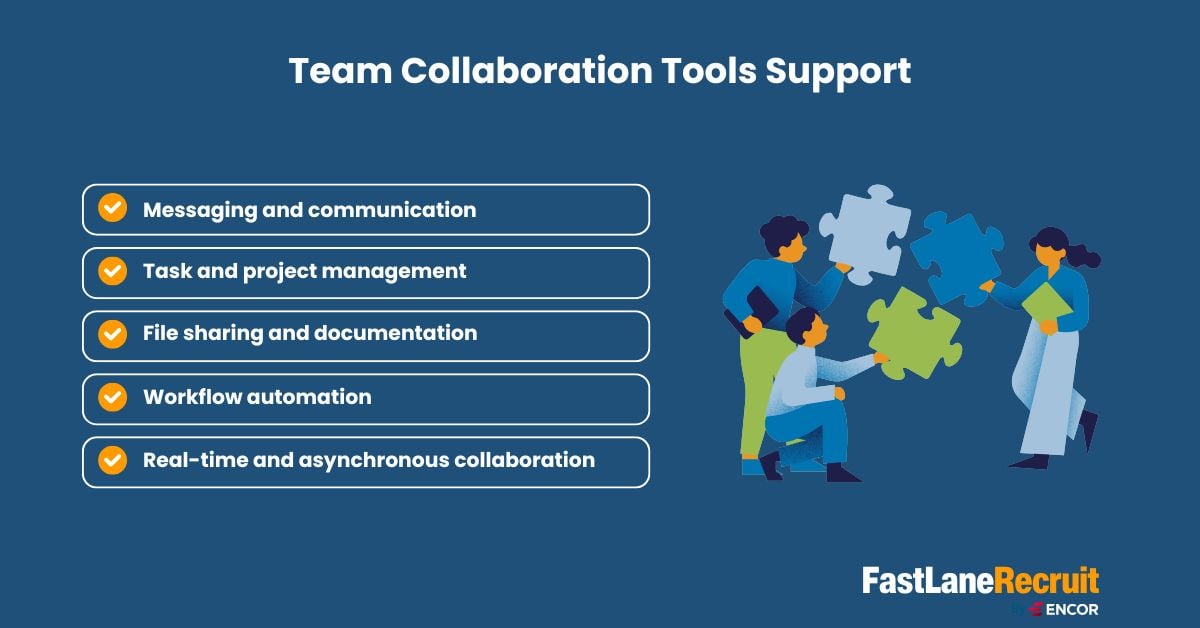
Modern businesses now rely on them as a core operating system for work, not just supplementary software.
Why Team Collaboration Tools Matter For Australian Businesses
Australian companies are increasingly:
- Hiring offshore teams
- Expanding into Asia-Pacific markets
- Operating hybrid or fully remote models
This requires systems that support:
- Cross-border communication
- Time-zone flexibility
- Centralised workflows
- Transparent accountability
Without the right collaboration infrastructure, scaling becomes inefficient and fragmented.
The 2026 Collaboration Stack: Comparison At A Glance
For quick decision-making, this specialized matrix evaluates the top 20 platforms based on deployment suitability, primary features, and cross-border synchronization capabilities.
| Tool | Primary Category | Best For | Key 2026 Feature | Offshore Workflow Compatibility |
| Wrike | Work Management | Enterprise Projects | Wrike Copilot AI Agents | Excellent (Centralized approvals) |
| Slack | Communication | Async Team Chat | Slack AI Thread Summary | Excellent (Multi-timezone bridging) |
| Reclaim.ai | Time Management | AI Calendar & Smart Sync | Smart Meeting Auto-Rescheduling | High (Protects developer focus time) |
| Google Workspace | Productivity Suite | Real-Time Document Editing | Gemini AI Document Assist | High (Seamless shared single source of truth) |
| Microsoft Teams | Enterprise Comms | Office 365 Ecosystems | Secure Channel Permissions | High (Regulated data compliance) |
| Asana | Project Tracking | Task Graphs & Workflows | Asana AI Agentic Enterprise | Excellent (Clear accountability logs) |
| Monday.com | Work OS | Visual Project Boards | No-Code Automations | High (Cross-department visibility) |
| ClickUp | All-in-One OS | Multi-App Convergence | Converged AI Workspace | High (Eliminates tool sprawl) |
| Miro | Visual Whiteboarding | Brainstorming & Mapping | AI-Assisted Diagramming | Excellent (Live collaborative workshops) |
| Trello | Kanban Tracking | Lightweight Task Flow | Butler Workflow Automation | Medium (Best for small agile sprints) |
| Airtable | Relational Database | AI-Driven Workflows | Connected App Databases | High (Structured content/data tracking) |
| Notion | Knowledge Hub | Wikis & Documentation | Notion AI Workspace Q&A | High (Asynchronous onboarding wikis) |
| Smartsheet | Spreadsheet PM | Advanced Financial Sheets | Real-Time Resource Allocation | Medium (Best for finance/audit teams) |
| Dropbox Business | Cloud Storage | Secure File Management | Advanced Sharing Permissions | High (Digital asset protection) |
| Zoom Workplace | Video Conferencing | Real-Time Meetings | AI Companion Meeting Recaps | Medium (Requires time-zone planning) |
| Figma | Design Collaboration | UI/UX & Prototyping | Live Multi-User Sandbox | Excellent (Creative agency workflows) |
| Basecamp | Communication | Minimalist Project Chat | Centralized Message Boards | Medium (Best for small, linear projects) |
| Teamwork | Client Operations | Agency Portfolio PM | Integrated Client Portals | High (Tracks billable offshore hours) |
| Linear | Software Development | Issue & Sprint Tracking | Git/GitHub Native Sync | Excellent (Highly optimized for tech teams) |
| Rocket.Chat | Secure Chat | Self-Hosted Comms | Open-Source Data Control | High (Strict internal privacy mandates) |
Detailed Evaluation: The Top 20 Team Collaboration Tools
Let’s break down the top 20 team collaboration tools in 2026 for remote and hybrid teams in Australia, helping you choose platforms that actually improve execution, not just communication.
1. Wrike
Wrike stands out as an enterprise-grade work delivery platform optimized for cross-functional departments managing complex, multi-tiered projects. Powered by the Wrike Work Intelligence Graph, it integrates robust proofing, customizable dashboards, and real-time reporting.
- Pros: Advanced access controls; seamless automated review cycles that minimize email back-and-forth.
- Cons: Steep learning curve for non-technical users.
- Pricing: Free tier available; paid plans range up to $25/user/month, alongside tailored enterprise packages.
2. Slack
The absolute standard for real-time team communication. Slack channels, custom huddles, and threads reduce local inbox clutter while keeping distributed branches connected. In 2026, its built-in AI efficiently summarizes sprawling discussions into bite-sized action lists.
- Pros: Massive app directory containing over 2,600 native integrations; highly intuitive UI.
- Cons: High risk of notification fatigue without strict channel governance.
- Pricing: Free version available; pro tiers start at approximately $4.38/user/month.
3. Reclaim.ai
An AI-driven calendar assistant that automatically constructs a perfectly balanced workweek. Reclaim automatically defends focus time, blocks out recurring habits (like lunch or deep development sessions), and reschedules 1:1 meetings based on shifting availability.
- Pros: Direct native sync with task managers like ClickUp, Asana, and Linear; prevents staff burnout.
- Cons: Exclusively tailored around Google Calendar and Microsoft Outlook ecosystems.
- Pricing: Free basic version; starter plans feature accessible entry-level pricing with standard corporate trials.
4. Google Workspace
The undisputed cloud backbone for collaborative real-time documentation. Google Docs, Sheets, and Drive permit thousands of simultaneous inline edits without version conflict, serving as a reliable single source of truth.
- Pros: Zero-friction user onboarding; Gemini AI integration streamlines data synthesis.
- Cons: Native instant chat features remain underpowered compared to specialized platforms.
- Pricing: Basic business tiers kick off at $7/user/month.
5. Microsoft Teams
The enterprise choice for organizations fully embedded within the Microsoft 365 environment. Teams merges secure video conferencing, shared file systems, and deep security compliance metrics.
- Pros: Robust document safety infrastructure; granular channel permission protocols.
- Cons: Resource-heavy desktop client; configuration requires expert IT administration.
- Pricing: Packages start at $12.50/user/month, billed on an annual cycle.
6. Asana
Asana serves as a comprehensive “System of Action,” utilizing its advanced Work Graph data model to connect high-level company strategy with daily ground-level tasks.
- Pros: Exceptional visualization options ranging from clean Kanban views to deep Gantt timelines.
- Cons: Custom configuration options can easily overwhelm smaller operational setups.
- Pricing: Functional free tier; premium business subscriptions scale up to $30.49/user/month.
7. Monday.com
A highly flexible “Work OS” designed to give project managers absolute visual transparency over complex operational workflows.
- Pros: Brilliant, color-coded visual interfaces; ultra-simple code-free automation macros.
- Cons: Advanced reporting dashboards require upper-tier premium memberships.
- Pricing: Tiered entry levels extending past $24/user/month depending on functional scale.
8. ClickUp
Positioned as a converged workspace, ClickUp consolidates docs, goal tracking, messaging, and complex agile sprint pipelines into a single application window.
- Pros: Eliminates expensive tool sprawl by replacing multiple detached software licenses.
- Cons: The sheer density of available features can extend team onboarding timelines.
- Pricing: Free version available; mid-tier options scale smoothly for growing agencies.
9. Miro
Miro provides an expansive digital whiteboarding canvas designed to mimic an in-office creative workshop room for brainstorming, journey mapping, and visual architecture layout.
- Pros: Immersive real-time interactive tools including sticky notes, voting mechanics, and live smart-drawing.
- Cons: Can suffer from sluggish performance on legacy hardware when canvases grow massive.
- Pricing: Accessible free starter sets; standard commercial tiers require professional licensing.
10. Trello
The industry pioneer of accessible Kanban task tracking, utilizing simple boards, lists, and cards to track item lifecycles.
- Pros: Minimalist setup; internal “Butler” automation handles recurring administrative tasks smoothly.
- Cons: Lacks the robust resource allocation or financial budget tracking required for heavy enterprise initiatives.
- Pricing: Highly functional free layout; premium expansions cap around $17.50/user/month.
11. Airtable
Airtable bridges spreadsheet familiarity with robust relational database power, allowing teams to build custom content calendars, inventory systems, and CRM directories.
- Pros: Highly modular data field mapping; customizable interface layouts for separate departments.
- Cons: Advanced automated workflow scripts require technical data management knowledge.
- Pricing: Generous free sandbox; enterprise scaling pricing models apply.
12. Notion
An all-in-one workspaces documentation wiki. Notion organizes internal company handbooks, operational policies, and project notes into nested text hierarchies.
- Pros: Clean aesthetic; global AI search effortlessly crawls years of internal corporate documentation.
- Cons: Lacks native computational spreadsheet formulas required for advanced data analysts.
- Pricing: Free individual accounts; team collaboration licensing starts at a low baseline.
13. Smartsheet
A robust, spreadsheet-centric project management workspace favored by finance departments and operational units requiring deep calculated modeling.
- Pros: Enterprise resource tracking; comprehensive roll-up data reporting across hundreds of separate sheets.
- Cons: Visually rigid interface that lacks modern casual chat engagement options.
- Pricing: Standard tiers launch at $24/member/month.
14. Dropbox Business
A secure cloud repository built for digital asset preservation and large-scale media file sharing across distributed creative pipelines.
- Pros: Elite file synchronization speeds; sophisticated digital right protection controls.
- Cons: Document collaboration features feel isolated compared to native Google or Microsoft ecosystems.
- Pricing: Scaled professional packages starting at $19.99/month.
15. Zoom Workplace
Beyond basic video meetings, Zoom Workplace bundles persistent team chats, phone systems, digital whiteboards, and real-time collaborative workspace hubs.
- Pros: Unrivaled video streaming reliability over constrained or variable internet connections.
- Cons: Requires precise calendar synchronization when coordinating with international branches.
- Pricing: Pro options scale up to $21.99/user/month.
16. Figma
The gold standard for real-time collaborative design. Product managers, UX writers, and remote developers can co-create application interfaces simultaneously inside a live sandbox.
- Pros: Unmatched component prototyping; eliminates the friction of traditional design handoffs.
- Cons: Highly complex toolsets that demand a technical learning curve for non-designers.
- Pricing: Functional free starter layout; professional tiers scale based on seat requirements.
17. Basecamp
A minimalist platform that prioritizes calm communication by organizing files, tasks, and text check-ins onto a single page per project.
- Pros: Fixed monthly corporate rates that prevent unpredictable license costs as headcount scales.
- Cons: Missing modern agile sprint tracking, backlogs, and native timeline metrics.
- Pricing: Flat-rate corporate tiering options ideal for budgeting.
18. Teamwork
Specifically engineered for client-facing service agencies, Teamwork seamlessly bridges internal project tasks with outward client visibility loops.
- Pros: Native granular time-tracking; integrated billing and invoice creation tools.
- Cons: Interface customization requires intentional, structured setup.
- Pricing: Tiers scale up to $69.99/user/month for advanced asset managers.
19. Linear
An elite, lightning-fast issue tracker designed exclusively for high-performing engineering, QA, and product development teams.
- Pros: Extreme keyboard shortcut optimization; zero interface lag; clean native GitHub synchronization.
- Cons: Deliberately opinionated framework that cannot easily adapt to non-technical marketing or sales workflows.
- Pricing: Free tiers for small teams; flexible business licensing models apply.
20. Rocket.Chat
An open-source, fully customizable communications platform designed for organizations prioritizing total data residency and sovereign privacy controls.
- Pros: Completely self-hostable; total end-to-end encryption architecture control.
- Cons: Demands internal DevOps engineering resources to set up, host, and patch.
- Pricing: Economical entry levels alongside advanced compliance-driven enterprise pricing.
Why These Tools Matter for Australian Companies Hiring via EOR / Remote Teams
For Australian businesses scaling via an Employer of Record (EOR) or managing distributed remote teams, collaboration software isn’t just a convenience, it is the core digital infrastructure that holds the operation together. When your team stretches across borders (such as hiring tech or creative talent in Southeast Asia), these tools bridge critical operational gaps:
- Bridging Time Zone Gaps with Asynchronous Work: Managing a distributed workforce means synchronous, real-time meetings can quickly become a scheduling bottleneck. Tools like Loom, Slack, and Notion enable robust asynchronous workflows, allowing Australian managers to leave detailed video briefs or documentation that remote team members can act on during their own core hours without micro-management.
- Project Visibility Without Physical Oversight: When utilizing an EOR, the legal employer handles payroll and compliance, but day-to-day productivity remains entirely your responsibility. Centralized project management platforms (like Asana or Jira) give absolute visibility into task progression, deliverables, and roadblocks, eliminating the need for physical proximity.
- Seamless Cross-Border Onboarding: First impressions matter. Integrating a robust digital workspace ensures that an offshore employee’s day-one experience is structured and professional. Automated onboarding sequences, clear knowledge bases, and instantly provisioned communication channels make a remote hire feel connected to the onshore Australian team from the very start.
- Maintaining Security and IP Protection: Hiring internationally introduces cross-border data security and intellectual property risks. Standardizing secure enterprise tools allows Australian companies to enforce strict access controls, track document sharing, and protect sensitive financial or proprietary data across borders.
Also Read: Managing Remote Employees: Hire, Onboard & Lead Remote Teams Effectively
HOW to Choose The Right Team Collaboration Tools
To choose the right one that fits your business needs, you need to consider these factors.
Based on team size
- Small teams: Trello, Notion
- Growing teams: Asana, ClickUp
- Enterprises: Monday.com, Wrike
Based on work type
- Creative teams: Figma, Miro
- Engineering teams: Jira
- Operations teams: Smartsheet
Based on workflow needs
- Communication-heavy: Slack, Teams
- Documentation-heavy: Notion, Confluence
- Execution-heavy: Asana, ClickUp
Operational Reality: Software vs. Strategy
Adopting enterprise-grade team collaboration tools is only half the battle. True organizational efficiency requires a strategic combination of the right software platforms and an optimized talent model.
When Australian enterprises experience operational friction, it rarely stems from software limitations. Instead, it is usually caused by structural challenges:
- App Fatigue & Context Switching: Research indicates that inefficient digital collaboration patterns drain three to six productive hours per employee every single week.
- Lack of Explicit Work Norms: Without explicit agreements regarding asynchronous response times, teams face constant notification disruption.
- Unsustainable Local Talent Overhead: Restricting your hiring searches strictly to expensive local talent pools can limit scale and strain profit margins.
The most successful companies use these software platforms to build integrated, cross-border teams. By establishing a single source of truth, Australian businesses can seamlessly integrate elite offshore professionals into their daily workflows, operating as a unified unit regardless of distance.
Also Read: Guide for Australian Companies to Hire Malaysian Employees
Drive Global Expansion with FastLaneRecruit Employer of Record (EOR) Services
Expanding your workforce internationally can be complex, requiring businesses to navigate different employment laws, payroll requirements, tax regulations, and HR compliance across multiple jurisdictions. Establishing local entities in every market can also be costly and time-consuming.
FastLaneRecruit simplifies international hiring by providing comprehensive Employer of Record (EOR) services across Malaysia, Hong Kong, Singapore, China, the United Arab Emirates (UAE), and Taiwan. As your trusted regional EOR partner, we manage the complexities of local employment, payroll, statutory compliance, onboarding, and HR administration, allowing you to focus on growing your business with confidence.
Whether you’re hiring in a single market or expanding across multiple countries, FastLaneRecruit helps you build a compliant, scalable workforce without the need to establish local legal entities.
Ready to expand your global team? Contact FastLaneRecruit today to discover how our Employer of Record solutions can support your regional growth strategy.
Conclusion: The Synergy of Tech and Talent in 2026
In 2026, operational agility is the defining factor for growing Australian companies. Relying on an exceptional suite of team collaboration tools solves the mechanical challenge of remote work, providing a centralized ecosystem where tasks are tracked, calendars are protected, and communication flows smoothly. Yet, software remains a tool; its true potential is only unlocked when paired with a highly skilled, strategically placed workforce.
The future of team scaling lies in removing geographical boundaries without taking on administrative or legal risk. By combining a modern, asynchronous digital stack with FastLaneRecruit’s exclusive Employer of Record (EOR) services in Malaysia, Australian businesses can seamlessly integrate top-tier international professionals into their daily operations. This strategy reduces local overhead, solves local talent shortages, and creates a highly productive, continuous workflow that keeps your business moving forward around the clock.
Ready to Optimize Your Global Workspace?
Don’t let operational friction or rising local overhead slow your business down. By combining top-tier team collaboration tools with an elite offshore strategy, you can position your business for scalable, long-term success.
Contact our cross-border team today to discover how our exclusive Employer of Record (EOR) services in Asia can help you build a high-performing, compliant workforce.
Contact FastLaneRecruit Today to Scale Your Remote Workforce
Frequently Asked Questions (FAQ)- Team Collaboration Tools
What are the best team collaboration tools in 2026?
Slack, Microsoft Teams, ClickUp, Asana, and Notion are among the most widely used tools for modern teams.
What is the most popular collaboration software?
Microsoft Teams and Slack are the most widely adopted globally.
Which team collaboration tools are best for remote teams?
Slack, Zoom, Notion, and ClickUp are widely used for remote-first teams.
What tools do hybrid teams use?
Hybrid teams typically rely on Microsoft Teams, Google Workspace, and Monday.com.
Why are team collaboration tools important?
They improve communication, streamline workflows, and increase productivity across distributed teams.
What is the difference between team collaboration tools and project management tools?
Collaboration tools focus on communication, while project tools focus on execution and task tracking.