
As businesses expand across borders, strong collaboration becomes the foundation of productive teams. Whether you manage a fully remote workforce, a hybrid setup, or offshore teams in Malaysia, the right collaboration tools help teams stay aligned, organised, and connected.
In this guide, we have highlighted the top 15 collaboration tools commonly used by teams in Malaysia in 2026. This list is designed for international companies working with Malaysian professionals and looking to build efficient, compliant, and well-connected teams.
Content Outline
Key Summary
Clear Communication Across Time Zones
Collaboration tools like Slack and Microsoft Teams allow teams in Malaysia and worldwide to communicate instantly via chat, calls, and video, reducing delays and miscommunication.
Real-Time Document Collaboration
Platforms such as Google Docs and Microsoft 365 let multiple team members edit the same files simultaneously, ensuring everyone works on the latest version and avoiding lost updates.
Transparent Task and Project Management
Tools like ClickUp, Asana, and Trello provide clear visibility of responsibilities, timelines, and project status, helping managers identify bottlenecks and meet deadlines efficiently.
Efficient Remote and Offshore Work
Collaboration software supports distributed teams, enabling offshore employees to contribute fully to projects, join meetings, and access shared resources seamlessly.
Choosing Tools That Fit Your Team
Consider ease of use, remote readiness, security, integration, and scalability. Many teams combine 2–3 tools to create an effective collaboration ecosystem.
Compliance is Critical When Hiring in Malaysia
Understanding labour laws, statutory contributions (EPF, SOCSO, EIS), and local employment regulations ensures remote or offshore teams are legally protected and reduces operational risk.
Simplified Hiring with FastLaneRecruit EOR
FastLaneRecruit’s Employer of Record service enables global companies to hire Malaysian talent legally and quickly, manage payroll and compliance, while teams focus on productivity and collaboration.
Why Collaboration Tools Matter for Global Teams in Malaysia
In today’s business environment, many companies operate across countries, time zones, and cultures. Collaboration tools are no longer “nice-to-have”, they are essential for ensuring teams work efficiently, stay connected, and meet deadlines, even when employees are spread out geographically.
Here’s why they are so important for global teams, especially those working with talent in Malaysia:
1. Communicate clearly across time zones
When your team is scattered across the globe, coordinating meetings and sharing updates can be tricky. Collaboration tools like Microsoft Teams or Slack allow teams to communicate instantly, whether through chat, video calls, or notifications. This helps reduce misunderstandings and keeps everyone on the same page, even if colleagues are working several hours apart.
Also Read: Examples of Outsourcing
2. Work on shared documents in real time
Imagine multiple team members editing the same document or spreadsheet. Without the right tools, changes can get lost, and email threads can become confusing. Platforms like Google Docs and Microsoft 365 let team members work on the same files simultaneously. Everyone sees the latest version immediately, making collaboration faster, smoother, and more accurate.
3. Track tasks and projects transparently
When projects involve multiple teams or departments, it’s easy for tasks to get delayed or overlooked. Project management tools like Asana, ClickUp, or Trello provide a clear overview of who is responsible for what and when it’s due. This transparency keeps projects on track, helps managers identify bottlenecks, and ensures deadlines are met.
4. Reduce delays and duplicated work
Without a proper collaboration system, teams often repeat work or wait unnecessarily for updates. Collaboration tools eliminate these inefficiencies by centralizing communication, tasks, and files. This saves time, improves productivity, and allows teams to focus on delivering results instead of chasing information.
5. Support remote and offshore work models
Malaysia is an increasingly popular destination for companies outsourcing or hiring remote employees. Collaboration tools make it easy to integrate offshore talent into your team. They ensure that even remote employees can participate fully in meetings, contribute to projects, and access the same resources as on-site staff.
According to recent research, online collaboration tools are used on over 1% of websites in Malaysia, demonstrating their widespread adoption in modern workplaces. Tools like Google Docs and Microsoft 365 are leading the way, especially among knowledge-based teams, creative agencies, and distributed companies. Their growing popularity shows that businesses recognize the importance of efficient, transparent, and flexible collaboration, whether employees are local or offshore.
Key Features To Look For In a Collaboration Tool
Choosing the right collaboration tool is more than picking the most popular software. The right platform should match your team’s workflow, project needs, and overall goals. Here are the key features to consider:
1. Ease of Use
A user-friendly interface ensures quick adoption across teams. Platforms like Google Docs, Trello, and Slack are intuitive and don’t require extensive training.
2. Real-Time Collaboration
Look for tools that allow multiple users to work together simultaneously on documents, spreadsheets, design boards, or projects. This reduces delays and avoids version conflicts.
3. Communication Options
A good collaboration tool supports multiple communication channels, including chat, video, and discussion threads. Microsoft Teams and Slack excel in this area.
4. File Sharing and Storage
Centralized, secure file storage is essential. Platforms like Dropbox and Google Drive provide easy access to documents while maintaining version control.
5. Integration with Existing Tools
Collaboration tools should connect seamlessly with project management, HR, payroll, and productivity apps your team already uses. For example, ClickUp integrates with Slack, Zoom, and Google Workspace.
6. Scalability
As your team grows, your tools should support additional users, projects, and storage without disrupting workflows. Tools like Asana and monday.com scale well for cross-functional teams.
7. Security and Compliance
For remote and offshore teams, data security is critical. Look for platforms offering encryption, access controls, and compliance with local or international data regulations.
8. Customization and Automation
Tools that allow you to automate repetitive tasks, set notifications, and customize dashboards save time and improve productivity.
Compatibility With Your Team and Outsourced Talent
When working with Malaysian remote or offshore employees, tool compatibility becomes even more important. A collaboration platform should align with how your team works and the unique needs of distributed talent.
1. Remote Readiness
Ensure the tool supports both synchronous (live meetings) and asynchronous (self-paced work) collaboration so team members in different time zones can contribute effectively.
2. Cross-Platform Access
Your team may use different devices and operating systems. Platforms like Microsoft 365, Slack, and Google Workspace allow access via desktop, web, or mobile apps.
3. Cultural and Language Considerations
Tools with multilingual support or simple, intuitive interfaces make adoption smoother for international and Malaysian teams.
4. Workflow Alignment
Select tools that match your team’s work style, whether Kanban boards, task lists, or design collaboration, so everyone can work efficiently without switching between too many apps.
5. Support for Outsourced Teams
If you’re hiring Malaysian talent via outsourcing or EOR (Employer of Record) models, ensure tools enable visibility into tasks, progress, and deadlines while keeping communication seamless.
6. Training and Onboarding Support
Choose platforms with resources, tutorials, or customer support to get new team members up to speed quickly, reducing downtime and accelerating productivity.
Top 15 Collaboration Tools Used by Teams in Malaysia (2026)
Managing teams across borders can be challenging, but the right collaboration tools make it easier. These tools help global teams in Malaysia stay aligned, communicate effectively, and deliver projects on time. Here’s a detailed guide to the top 15 collaboration tools, what they do, and which teams will benefit most.
1. Google Docs
What it is: A cloud-based document platform for creating, editing, and sharing text documents in real time.
Best for: Teams that need fast, live document collaboration.
Why it’s useful:
- Allows multiple users to work on the same document simultaneously
- Automatic saving prevents data loss
- Integrates easily with other Google Workspace tools like Sheets and Slides
- Ideal for remote teams drafting reports, proposals, or shared content
2. Microsoft 365
What it is: A complete productivity suite including Word, Excel, PowerPoint, Outlook, OneNote, and OneDrive.
Best for: Teams looking for an all-in-one productivity and collaboration platform.
Why it’s useful:
- Cloud-based with real-time editing capabilities
- Enterprise-grade security and compliance features
- Supports hybrid work by connecting employees across offices and countries
- Integrates with Microsoft Teams for seamless communication
3. Microsoft Teams
What it is: A chat and video conferencing platform built for team communication.
Best for: Hybrid teams needing both messaging and virtual meeting tools.
Why it’s useful:
- Channels organize discussions by project or department
- Supports video meetings, calls, and screen sharing
- Integrates with Microsoft 365 and other apps for workflow efficiency
- Reduces email overload with instant updates
Also Read: Managing Remote Teams Best Practices
4. Slack
What it is: A messaging platform designed for workplace collaboration using channels, threads, and app integrations.
Best for: Fast-moving teams that rely on real-time communication.
Why it’s useful:
- Supports instant messaging, file sharing, and app integrations
- Threaded conversations keep discussions organized
- Integrates with over 2,000 apps, including Google Workspace, Zoom, and Trello
- Perfect for remote or distributed teams needing quick decision-making
5. Notion
What it is: An all-in-one workspace combining note-taking, task management, wikis, and databases.
Best for: Teams needing flexible project tracking and knowledge management.
Why it’s useful:
- Customizable templates for projects, meeting notes, and team knowledge bases
- Combines tasks, documents, and databases in one platform
- AI features can summarize notes and generate drafts
- Ideal for teams coordinating complex projects or creative work
6. Trello
What it is: A visual project management tool using boards, lists, and cards to track tasks.
Best for: Teams that prefer a simple Kanban-style system for task management.
Why it’s useful:
- Drag-and-drop interface for easy task updates
- Labels, due dates, and checklists improve organization
- Integrates with tools like Slack, Google Drive, and Jira
- Helps teams visualize project progress clearly
7. ClickUp
What it is: A versatile platform combining project management, task tracking, document storage, and goals.
Best for: Teams wanting an all-in-one workspace for projects and workflow management.
Why it’s useful:
- Supports task assignments, timelines, and goal tracking
- Provides dashboards for real-time project insights
- Integrates with popular tools like Google Workspace, Zoom, and Slack
- Ideal for companies managing multiple teams or departments
8. Asana
What it is: A cloud-based project and task management tool designed to organize, track, and manage work.
Best for: Teams focused on clear ownership and accountability for tasks.
Why it’s useful:
- Tracks project timelines and deadlines with visual boards or lists
- Supports recurring tasks and task dependencies
- Integrates with communication tools like Slack and Microsoft Teams
- Useful for marketing, operations, and distributed project teams
Also Read: Best Practices for Remote Work Performance Management
9. monday.com
What it is: A work operating system allowing teams to plan, track, and manage projects using customizable boards.
Best for: Teams that need visual project tracking and flexible workflows.
Why it’s useful:
- Highly customizable to fit different teams and projects
- Provides visual dashboards for quick status updates
- Automates repetitive tasks and notifications
- Great for cross-functional teams coordinating multiple workflows
10. Figma
What it is: A browser-based UI/UX design and prototyping platform.
Best for: Design teams collaborating on interface design and prototyping.
Why it’s useful:
- Real-time collaboration allows multiple designers to work simultaneously
- Supports version control and feedback within the platform
- Integrates with project management tools like Jira and Slack
- Ideal for teams working on apps, websites, and product interfaces
11. Sketch
What it is: A macOS-based design tool focused on digital product design with cloud collaboration.
Best for: Creative teams working on user interface design.
Why it’s useful:
- Supports vector-based design for websites and apps
- Integrates with Figma, InVision, and Zeplin for workflow efficiency
- Enables collaborative feedback without losing design versions
- Perfect for small to medium-sized design teams
12. Miro
What it is: A digital whiteboard platform for visual collaboration.
Best for: Teams conducting workshops, brainstorming, and strategic planning.
Why it’s useful:
- Infinite canvas for diagrams, mind maps, and flowcharts
- Supports sticky notes, voting, and team collaboration
- Integrates with Zoom, Slack, and project management tools
- Ideal for remote workshops and creative problem-solving
13. Dropbox
What it is: Cloud-based storage and file-sharing service with secure access.
Best for: Teams needing centralized, accessible, and secure file storage.
Why it’s useful:
- Supports large file storage and sharing across locations
- Provides version history and recovery options
- Integrates with Google Workspace, Slack, and Adobe tools
- Great for teams managing design files, reports, or large datasets
14. Freshservice
What it is: A cloud-based IT service management platform that automates IT workflows and internal support.
Best for: IT and service teams looking to streamline operations.
Why it’s useful:
- Automates ticketing, workflows, and incident management
- Provides knowledge base and self-service portals
- Integrates with collaboration and project management tools
- Ideal for teams supporting distributed global offices
15. Bitrix24
What it is: A multi-component platform for team communication, project management, and CRM.
Best for: Teams needing collaboration combined with customer relationship management.
Why it’s useful:
- Combines tasks, communication, and CRM in one platform
- Supports workflow automation and reporting
- Integrates with Slack, Google Workspace, and Zoom
- Suitable for small to medium teams managing internal and client workflows
How to Choose the Right Collaboration Tools for Teams in Malaysia
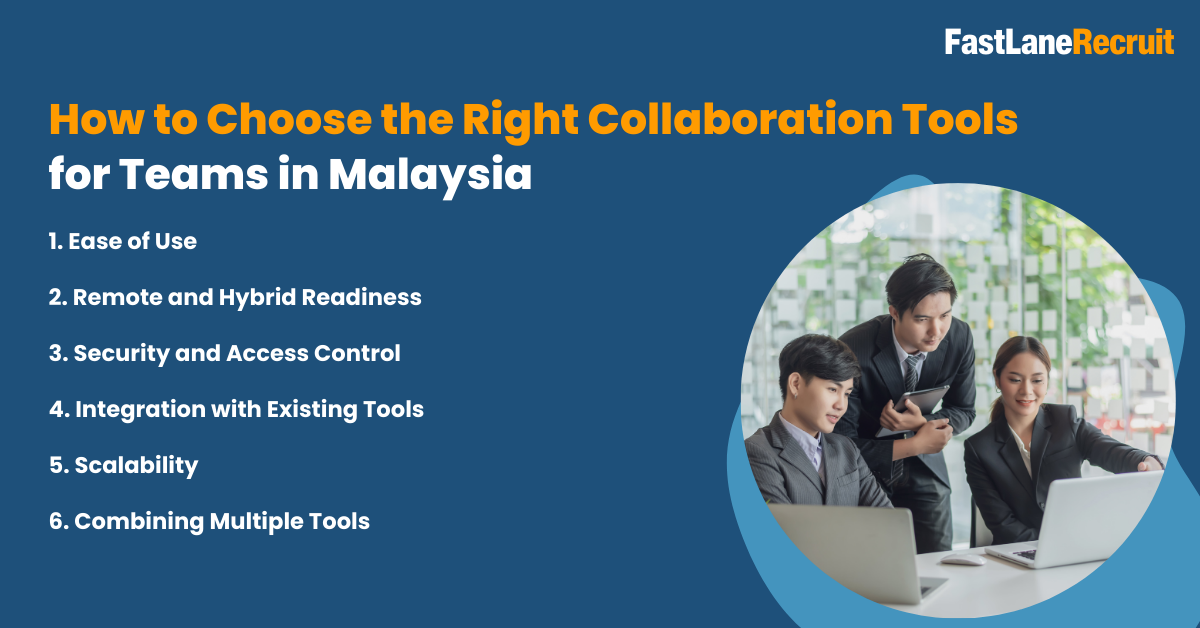
Choosing the right collaboration tools can make a big difference in how smoothly your team works together, especially when managing remote or offshore employees in Malaysia. Every team is unique, so there’s no one-size-fits-all solution. The key is to pick tools that match your team’s workflow, culture, and project needs. Here’s a practical guide to help you decide.
Also Read: Hiring Malaysian Talent: Employer of Record Malaysia Guide
1. Ease of Use
Why it matters: A tool that is intuitive and simple to use reduces the learning curve and ensures your team adopts it quickly.
Tips:
- Look for platforms with clear interfaces and simple navigation.
- Test the tool with a small group before rolling it out company-wide.
- Check for available tutorials, quick-start guides, or customer support.
Example: Tools like Google Docs and Trello are often easy to learn for teams of any experience level.
2. Remote and Hybrid Readiness
Why it matters: Teams in Malaysia often work across time zones or from home, so collaboration tools must support both real-time and asynchronous work.
Tips:
- Ensure the tool allows file sharing, chat, video calls, and document collaboration from any location.
- Look for offline capabilities or cloud-based platforms that update automatically.
Example: Microsoft Teams and Slack allow instant communication, while Notion and ClickUp let team members contribute at their own pace.
3. Security and Access Control
Why it matters: Protecting sensitive company data is crucial, especially when teams are distributed globally.
Tips:
- Check if the tool provides encryption for files and messages.
- Look for features like user authentication, role-based access, and permissions management.
- Verify compliance with local and international regulations if your company handles sensitive data.
Example: Microsoft 365 and Dropbox offer robust security features suitable for cross-border teams.
4. Integration with Existing Tools
Why it matters: Collaboration tools should work seamlessly with your existing systems, such as HR software, payroll, project management, or cloud storage.
Tips:
- Make a list of your current tools and see if the collaboration platform integrates directly.
- Integration can save time by reducing manual work and data duplication.
Example: ClickUp integrates with Slack, Google Workspace, and Zoom, allowing teams to manage all tasks from one platform.
5. Scalability
Why it matters: As your team grows or projects become more complex, your collaboration tools should grow with you.
Tips:
- Choose platforms that allow adding more users, storage, or advanced features without disruption.
- Check if pricing plans are flexible as your team scales.
Example: Tools like Asana or monday.com are suitable for small teams today but can handle large cross-functional teams tomorrow.
Also Read: How to Hire HRIS Administrators in Malaysia
6. Combining Multiple Tools
Many organizations find that no single platform covers all needs, so they combine 2–3 tools to create a complete collaboration ecosystem.
Example Setup for Global Teams in Malaysia:
- Slack or Microsoft Teams for chat and video calls
- Google Docs or Microsoft 365 for document collaboration
- ClickUp, Asana, or Trello for project tracking
This approach allows teams to communicate, document, and track tasks effectively without relying on one tool for everything.
Summary
Choosing the right collaboration tools isn’t just about picking the most popular software. It’s about matching tools to your team’s workflow, culture, and growth plans. By focusing on ease of use, remote readiness, security, integration, and scalability, your teams can work smarter, faster, and more efficiently whether they’re in Malaysia, working offshore, or spread across multiple countries.
Example: Managing Offshore Teams in Malaysia
Managing offshore teams in Malaysia requires careful planning, clear communication, and the right set of collaboration tools. When done correctly, it allows companies to scale efficiently, reduce operational bottlenecks, and maintain high productivity, even across borders. Here’s an example setup that many global companies use successfully:
1. Daily Communication: Slack or Microsoft Teams
Purpose: Keeping the team connected with instant messaging and video calls.
How it helps:
- Channels or groups can be organized by project, department, or client
- Quick messages reduce delays compared to emails
- Video calls and screen sharing make remote collaboration feel like working together in an office
Tip: Encourage a “stand-up” check-in once a day or a few times a week to ensure alignment.
2. Task and Project Tracking: ClickUp or Asana
Purpose: Organizing work, assigning responsibilities, and tracking progress.
How it helps:
- Tasks can have due dates, priorities, and dependencies to avoid bottlenecks
- Managers can visualize project timelines and monitor workloads
- Team members know exactly what’s expected and when
Tip: Use dashboards and visual boards to make progress transparent for both local and offshore teams.
3. Documentation and Knowledge Sharing: Google Docs or Notion
Purpose: Storing and sharing project documentation, meeting notes, and internal knowledge.
How it helps:
- Teams can edit documents in real time without version conflicts
- Centralized documentation reduces repeated questions and miscommunication
- Knowledge bases in Notion or shared Docs make onboarding new offshore team members easier
Tip: Maintain a folder structure or wiki that is intuitive and easy to navigate for all team members.
4. Design and Planning: Miro or Figma
Purpose: Supporting visual collaboration for brainstorming, planning, and design tasks.
How it helps:
- Digital whiteboards allow teams to brainstorm, map processes, and collaborate creatively
- Design tools like Figma let multiple designers provide feedback and iterate quickly
- Visual collaboration keeps offshore teams aligned with local teams’ vision
Tip: Schedule regular virtual workshops or design sprints to make the most of these platforms.
Why This Setup Works
This combination of tools supports transparency, accountability, and smooth collaboration across borders:
- Transparency: Everyone knows their responsibilities, deadlines, and project status.
- Accountability: Clear task ownership ensures no work gets overlooked.
- Flexibility: Teams can collaborate asynchronously, which is essential when time zones differ.
- Efficiency: Centralized communication, project tracking, and documentation reduce duplicated work and delays.
Additional Tip: Consider implementing a simple communication protocol, such as using Slack for urgent messages, email for formal communication, and project management tools for tasks. This ensures everyone knows where to look for updates.
Compliance Matters When Hiring Malaysian Talent
While collaboration tools make working with remote or offshore teams easier, hiring and managing talent in Malaysia requires careful attention to local laws and regulations. Compliance isn’t just a formality; it ensures your employees are protected, reduces legal risks, and helps maintain a positive work environment.
Key Areas of Compliance
- Malaysian Labour Laws
Employers must follow the Employment Act 1955 (and related legislation) which covers employment contracts, working hours, overtime, leave entitlements, and termination procedures.
Practical tip: Make sure contracts clearly define roles, responsibilities, and leave policies. Even remote or offshore employees are entitled to statutory protections.
Reference: Malaysia Ministry of Human Resources (MOHR) - Statutory Contributions
Employers are required to make contributions to local statutory programs, even for remote employees based in Malaysia:
- Employees Provident Fund (EPF): A mandatory retirement savings scheme for Malaysian employees.
Reference: EPF Malaysia - Social Security Organisation (SOCSO): Provides protection against workplace injuries and employment-related risks.
Reference: SOCSO Malaysia - Employment Insurance System (EIS): Covers unemployment benefits and job search assistance.
Practical tip: Use payroll or HR platforms that automatically calculate and deduct these contributions to ensure compliance and avoid penalties.
- Local Employment Regulations
Employers must also comply with rules around minimum wage, working hours, rest days, and statutory leave (maternity, medical, public holidays, etc.). These rules apply even if the employee is working remotely from Malaysia for an international company.
Practical tip: Document all policies clearly and communicate them to your team to avoid confusion.
Why Compliance Matters for Offshore Teams
- Protects Employees: Ensures Malaysian employees receive their legal entitlements and benefits.
- Reduces Legal Risk: Non-compliance can result in fines, penalties, or legal disputes.
- Supports Trust and Productivity: Employees feel secure and valued, improving engagement and performance.
How Global Teams Can Simplify Compliance
For companies hiring offshore talent in Malaysia, compliance can feel complex. One practical solution is to work with a trusted Employer of Record (EOR), such as FastLaneRecruit. An EOR handles:
- Local contracts and statutory contributions
- Payroll, taxes, and benefits
- Labour law compliance and HR administration
This allows companies to hire and manage remote Malaysian employees efficiently without needing to set up a legal entity locally, while staying fully compliant.
Key Takeaway:
Even with the best collaboration tools, compliance is a critical part of building successful offshore teams in Malaysia. Understanding labour laws, statutory contributions, and local employment regulations ensures smooth operations, reduces risk, and builds trust with your talent.
Alternative to Setting Up a Local Entity: FastLaneRecruit EOR
Hiring remote or offshore employees in Malaysia can be challenging for global companies. Setting up a local company requires significant investment, legal registration, and ongoing compliance management. Fortunately, there’s a simpler solution: FastLaneRecruit’sEmployer of Record (EOR) service.
An EOR acts as the legal employer for your Malaysian team while you retain full control over day-to-day work, projects, and collaboration. This allows companies to hire top talent quickly, legally, and without the need to establish a local entity.
What FastLaneRecruit EOR Offers
1. Hire Malaysian Talent Quickly and Legally
- FastLaneRecruit handles the legal employment setup for your remote Malaysian employees, including contracts and onboarding.
Example: A global software company wants to hire a team of developers in Kuala Lumpur. Instead of registering a company in Malaysia, they use FastLaneRecruit EOR to employ developers legally in a matter of days.
2. Stay Compliant with Local Employment Laws
- EOR ensures that your employees’ contracts, benefits, and statutory contributions follow Malaysian regulations, including:
- Employment contracts under the Employment Act 1955
- Mandatory contributions to EPF, SOCSO, and EIS
- Compliance with minimum wage, working hours, and leave policies
Example: A marketing agency hires a remote content team in Penang. FastLaneRecruit EOR ensures all employees receive their statutory benefits while the company focuses on content creation.
3. Manage Payroll, Taxes, and Statutory Contributions
- FastLaneRecruit handles monthly payroll, tax filings, and government contributions. This removes administrative burden and reduces the risk of errors or penalties.
Example: An e-commerce company employs customer support agents in Malaysia. FastLaneRecruit EOR calculates wages, handles EPF/SOCSO deductions, and manages income tax compliance automatically.
4. Focus on Collaboration and Team Performance
- With employment complexity managed by FastLaneRecruit, your team can focus on what really matters: projects, innovation, and collaboration.
- Your employees can continue using their preferred collaboration tools such as Slack, Microsoft Teams, Google Docs, or ClickUp
- Managers can track projects and performance without worrying about legal and HR compliance
Example: A product development company uses Figma for design collaboration and Asana for task tracking. FastLaneRecruit ensures all Malaysian employees are legally employed, allowing the team to focus entirely on design and development.
Why FastLaneRecruit EOR is Ideal for Global Teams
- Time-Saving: Eliminates the need to register a company locally
- Compliance-First: Reduces risk with local employment law expertise
- Flexible Hiring: Scale your team up or down easily without legal hurdles
- Seamless Collaboration: Employees can continue using tools they know and love
Key Takeaway:
FastLaneRecruit EOR is the perfect solution for companies wanting to hire and manage Malaysian remote or offshore employees efficiently. By taking care of legal, HR, and payroll responsibilities, EOR allows your teams to focus on collaboration, productivity, and business growth, while staying fully compliant with local laws.
Conclusion
Collaboration tools play a vital role in how global teams work with talent in Malaysia. From document sharing and messaging to project tracking and design collaboration, the right tools help teams stay connected and productive across borders.
When paired with a compliant hiring solution like FastLaneRecruit’s EOR service, companies can confidently build and manage Malaysian teams while focusing on growth, performance, and long-term success.
If you’re planning to scale your team in Malaysia, collaboration tools plus the right employment structure make all the difference. Contact us for a free discovery call to hire remote employees in Malaysia!